
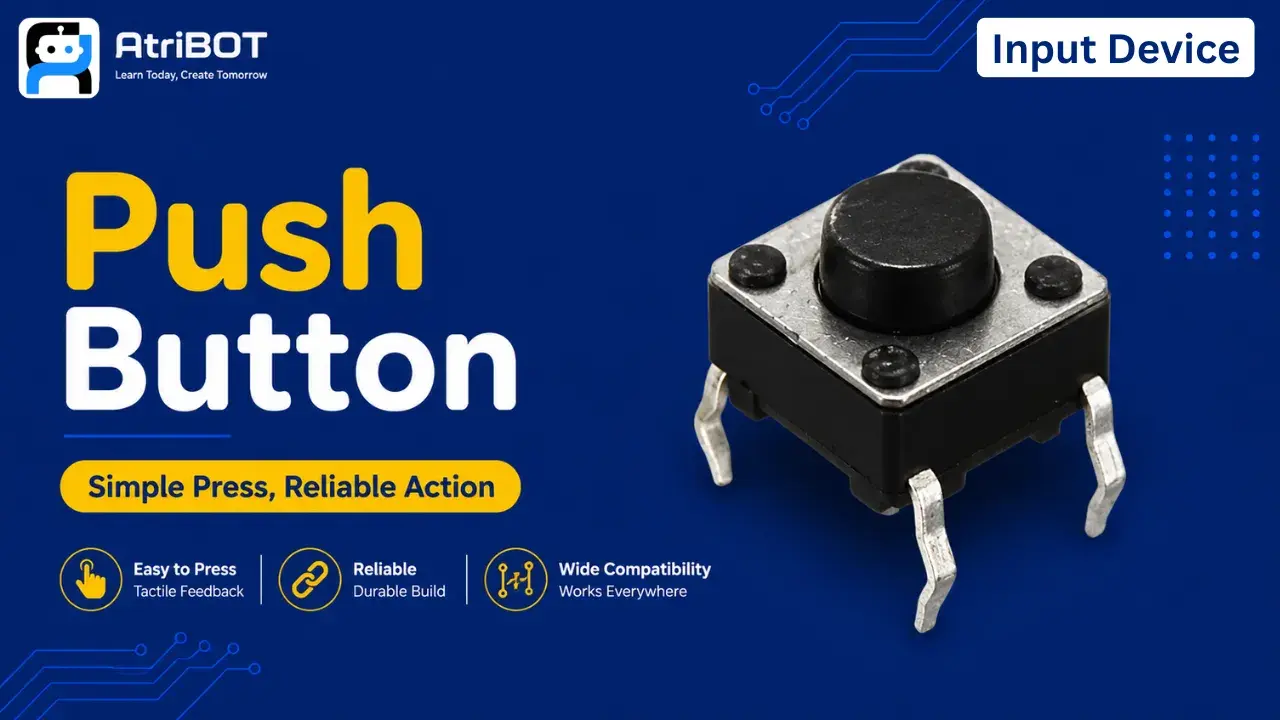
Push Button

Written by
Atribot team
Last updated
June 10, 2026
Introduction
Have you ever wondered how a calculator registers a key press or how a doorbell sends a signal when pressed? These actions are made possible by a simple yet essential electronic component called a Push Button.
A push button is an input device that allows users to interact with electronic circuits by manually opening or closing an electrical connection. When the button is pressed, the circuit changes state, enabling a microcontroller or electronic system to detect user input and perform a specific action.
Due to their simplicity, reliability, and low cost, push buttons are widely used in electronic devices, control panels, home appliances, industrial equipment, and embedded systems. They are often the first input component beginners learn when starting with electronics and microcontroller projects.
In this article, you will learn about the push button's main parts, pin configuration, technical specifications, working principle, advantages, disadvantages, and real-world applications.
Main Parts
1. Button Cap
The button cap is the top part that users press.
Functions:
Provides a surface for pressing
Transfers mechanical force to the internal mechanism
Allows user interaction
2. Actuator
The actuator is located beneath the button cap and moves when the button is pressed.
Functions:
Transfers force to the internal contacts
Activates the switching mechanism
3. Spring Mechanism
The spring returns the button to its original position after release.
Functions:
Restores the button position
Provides tactile feedback
Ensures momentary operation
4. Metal Contacts
Metal contacts create or break the electrical connection.
Functions:
Complete the circuit when pressed
Disconnect the circuit when released
Conduct electrical current
5. Housing
The housing encloses and protects the internal components.
Functions:
Supports the switch structure
Protects against physical damage
Maintains alignment of internal parts
6. Terminal Pins
The terminal pins connect the push button to an external circuit.
Functions:
Provide electrical connection points
Interface with breadboards and PCBs
Pinouts
A standard tactile push button typically has 4 pins.
Pin Configuration
Pin | Description |
|---|---|
Pin 1 | Connected internally to Pin 2 |
Pin 2 | Connected internally to Pin 1 |
Pin 3 | Connected internally to Pin 4 |
Pin 4 | Connected internally to Pin 3 |
Operation
When the button is not pressed, the two internal pin pairs remain disconnected.
When the button is pressed, both pairs become electrically connected.
This completes the circuit and allows current to flow
Specifications
Parameter | Specification |
|---|---|
Switch Type | Momentary Tactile Switch |
Operating Voltage | Up to 12V (varies by model) |
Operating Current | Typically 50mA |
Contact Resistance | Less than 100mΩ |
Insulation Resistance | Greater than 100MΩ |
Operating Temperature | -20°C to 70°C |
Mounting Type | Through-Hole |
Number of Pins | 4 |
Actuation Force | Approximately 160g–260g |
Lifespan | 100,000+ Operations |
Working Principle
A push button works by mechanically opening and closing an electrical circuit.
Step 1: Button Released
When the button is not pressed:
Internal contacts remain separated
The circuit remains open
No current flows between the contacts
Step 2: Button Pressed
When the button is pressed:
The actuator moves downward
Internal metal contacts touch each other
The circuit becomes closed
Step 3: Signal Detection
The completed circuit allows current to flow.
A microcontroller or electronic circuit detects this change and performs a specific action.
Step 4: Button Released Again
When pressure is removed:
The spring pushes the actuator back
Contacts separate
The circuit opens again
Advantages & Disadvantages
Push buttons are simple, reliable, and widely used in electronic systems. However, they also have some limitations.
Advantages
Simple to use
Low cost
Easy to interface
Reliable operation
Compact size
Low power consumption
Widely available
Suitable for beginners
Disadvantages
Mechanical wear over time
Limited lifespan compared to touch sensors
Contact bouncing may occur
Requires physical interaction
Not suitable for fully contactless systems
Applications
Push buttons are used in a wide variety of electronic and electrical systems.
1. Calculator Keypads
Used for entering numbers and commands.
2. Doorbells
Trigger sound generation when pressed.
3. Elevator Control Panels
Allow users to select floors and functions.
4. Arduino Projects
Used as a basic user input device in electronics learning projects.
5. Home Appliances
Found in televisions, washing machines, microwaves, and other devices.
6. Industrial Control Systems
Used to start, stop, and control machines.
7. Computer Keyboards
Operate as user input switches.
8. Gaming Controllers
Used for user commands and controls.
9. Electronic Toys
Provide interactive input functions.
10. Automation Systems
Used for manual control and user interaction.
The Push Button is one of the simplest and most important input devices in electronics, providing a reliable way for users to interact with electronic circuits and embedded systems.